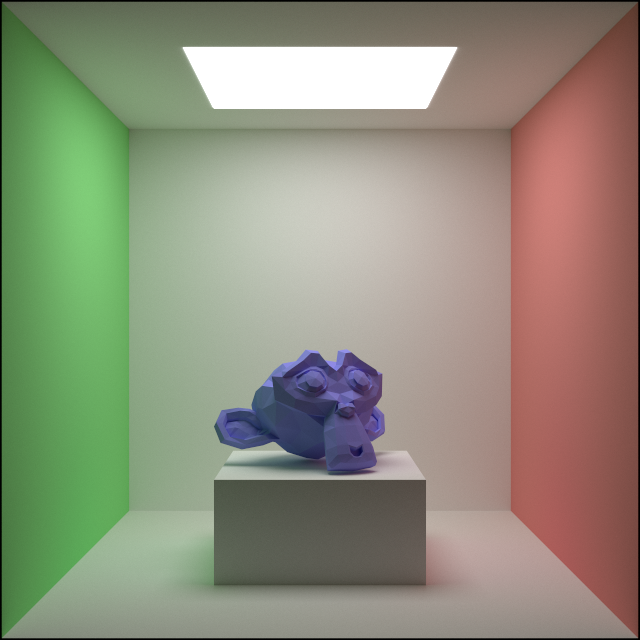
To include more complicated shapes in my path tracer I’m adding support for tracing triangle meshes. This will open up a lot of fun optimization and rendering topics.
Ray Triangle Intersection
The basic building block of meshes is the humble triangle. To be able to render meshes, I first need to be able to render triangles, which means I have to be able to test and find intersections between rays and triangles.
Consider a triangle with vertices $A, B, C$:
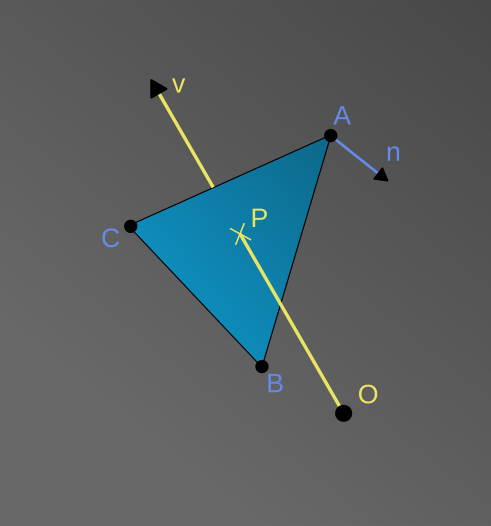
The face normal can be calculated using the cross product:
$ \begin{aligned} n = \frac{(B-A)\times(C-A)}{\left\lVert(B-A)\times(C-A)\right\rVert} \end{aligned} $
To find the intersection point $P$, the usual plane-ray intersection can be used:
$ \begin{aligned} P = O + v*t \end{aligned} $
Where $t$, the “travel time” is:
$ \begin{aligned} t = \frac{(A - O)\cdot{n}}{v\cdot{n}} \end{aligned} $
This guarantees that $P$ is on the plane of the triangle (given that the triangle is not degenerate and the ray is not parallel to the triangle), but to check if $P$ is inside $ABC$ in the plane, I use barycentric coordiantes, which can be found using the area of the triangles $APC$, $BPA$, $CPB$:
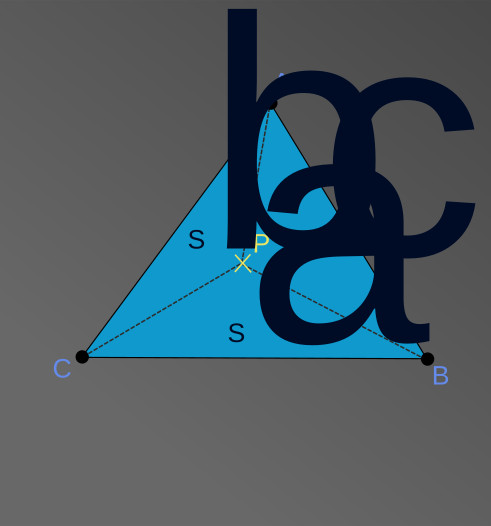
Denoting the areas with $S_a$, $S_b$, $S_c$ as indicated on the image above and $S$ for the area of the entire triangle we have:
$ \begin{aligned} \omega_X = \frac{S_x}{S} \end{aligned} $
And $\omega_A$, $\omega_B$, $\omega_C$ form the barycentric coordinates of the point $P$ in the triangle. Calculating the barycentric coordinates this way is more robust than other methods, because it does not depend on any arbitrary direction like $up$.
To read more about barycentric coordinates I recommend the corresponding Wikipedia page.
The relevant property here is that they are in $[0,1]$ when $P$ is inside the triangle.
Code-wise this is not very exciting, some tricks can be employed to reuse values and save some computation. My plan is to revisit this later when optimizing for number crunching, right now I just want to see a mesh rendered on screen.
Loading Meshes
To able to get complex meshes into my renderer without extra dependencies I added support for the OBJ file format. This is a very simple format, which is also human readable. Here is an example with a single triangle:
o BestTriangle
v 0 0 0
v 1 0 0
v 0 1 0
f 1 2 3
I wrote a parser for this file type, which only supports triangles. I simply store the data as read: positions in a single buffer, normals in another and the triangles only store indices:
struct Vertex
{
    uint32_t pi;
    uint32_t ni;
};

struct Triangle
{
    Vertex a;
    Vertex b;
    Vertex c;
};

struct GpuTris
{
    DeviceVector<Vec3> points;
    DeviceVector<Vec3> normals;
    DeviceVector<Triangle> triangles;
};
The loaded mesh is uploaded to the GPU immediately, but to render, I need an Object class:
struct TrisCollection : ObjectBase
{
    Vec3 *points;
    Vec3 *normals;
    Triangle *triangles;

    // ...
};
This is basically a view into a mesh on the GPU. Having this distinction allows later to render copies and parts of the same mesh without duplicating data.
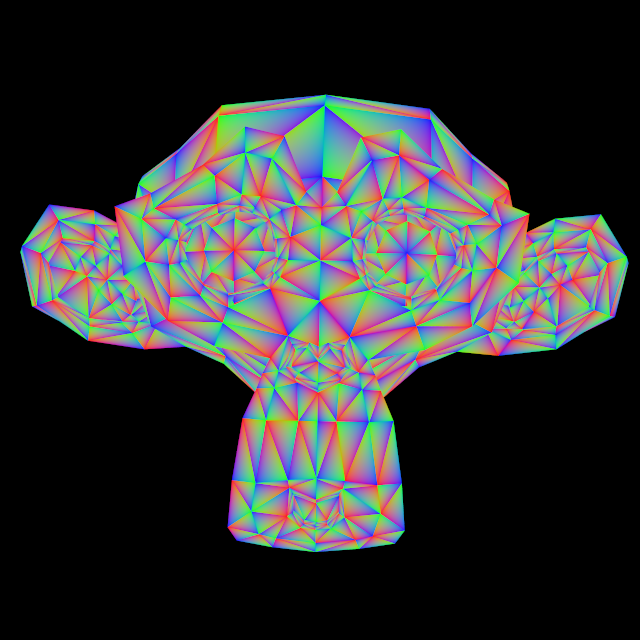
Using the barycentric coordinates as color it can be visualized over an entire mesh:
The final ingedient is the strategy to go through all the triangles and find the one the current ray intersects first, with some simplifications the code is:
HD std::optional<Intersection> getIntersection(const Ray &ray, const TrisCollection &tris)
{
    std::optional<Intersection> best = std::nullopt;

    for (int i=0;i<tris.tris_count;++i)
    {
        const auto triangle = tris.triangles[i];

        const auto intersection = testTriangleIntersection(ray, triangle);
        if (!intersection.has_value()) continue;

        if (!best.has_value() || best->t > intersection->t) {
            best = intersection;
        }
    }

    return best;
}
This is a plain old loop, meaning each ray has to test against each triangle. Such a linear approach scales terribly with the number of triangles, so I expect slow render times for now.
Later on I will look into acceleration structures to speed this up.
Renders
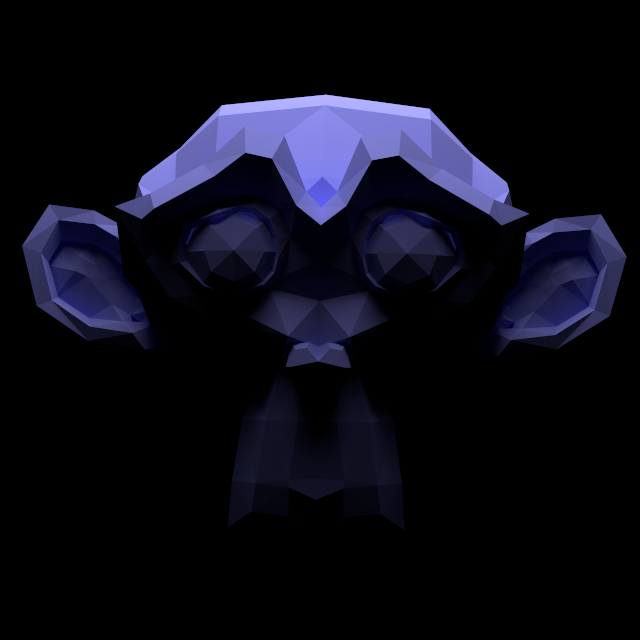
Using the new mesh implementation I rendered Blender’s Suzanne mesh in the Cornell Box:

And also with an overhead light that gives it an ominous look:
Conclusion
Loading meshes and rendering them works well, the results look nice. But it’s quite slow. The monkey mesh contains around 1000 triangles and it already visibly affects performance.
Next up I plan to look at next event estimation to make better use of the samples generated.